

Performance Analysis
/Alpha Calculator Guide
Alpha Calculator Guide
Learn how to evaluate manager skill and benchmark outperformance with the Alpha tool.
The Alpha Calculator measures how much return your portfolio generated above (or below) what would be expected from market exposure to a benchmark.
In practical terms, it helps separate:
- return explained by market movement
- return explained by active portfolio decisions
A high total return can still come mostly from market beta. Alpha helps you check whether active decisions truly added value beyond benchmark exposure.
How to Use the Tool
Use this workflow in Alpha:
1
Select Portfolio Positions
Choose or build the portfolio you want to evaluate in the portfolio selector.
2
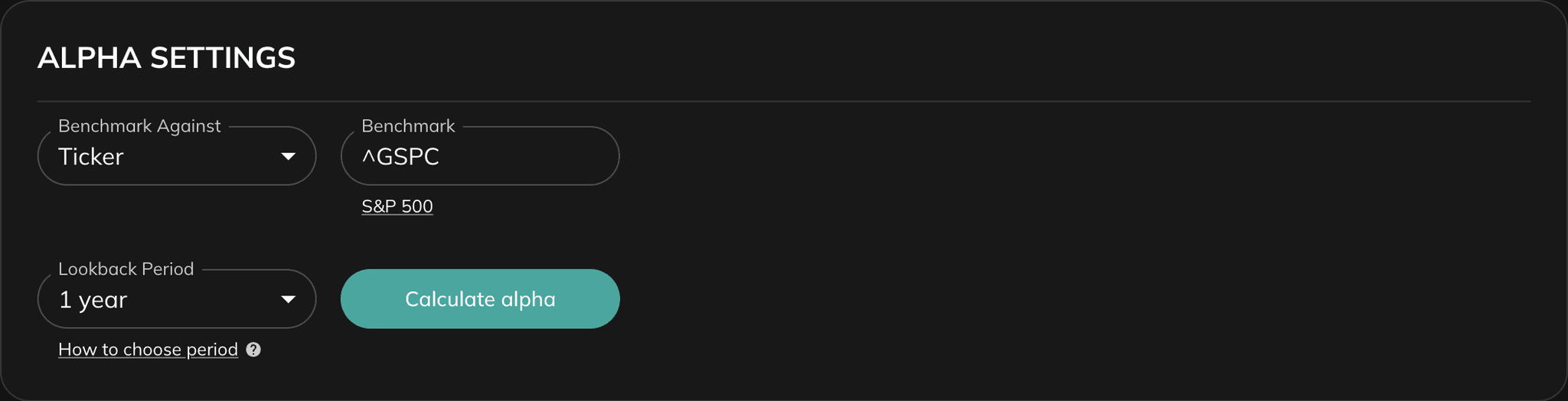
Choose a Benchmark
Pick the market reference that defines expected return behavior for your strategy.
3
Set Lookback Period
Select a period window (from 1M to 10Y) to control how recent or long-term your rolling alpha view should be.
4
Calculate Alpha
Click "Calculate alpha" to generate rolling Alpha and related Beta charts.
5
Interpret Both Charts Together
Read Alpha for value-added behavior and Beta for market-sensitivity context in the same period.
Practical Tip
Use the same benchmark and lookback period when comparing multiple portfolios, so Alpha differences are comparable.
Tool Settings
The Alpha tool uses two main settings:
- Benchmark — Defines the market reference used to estimate expected return and calculate Alpha.
- Lookback Period — Controls the rolling analysis window. Short periods react faster but are noisier; long periods are smoother and better for trend validation.
Lookback interpretation:
- Short periods (up to 6 months): responsive to recent changes, but more sensitive to noise.
- Medium periods (6 to 12 months): balanced view between responsiveness and stability.
- Long periods (more than 12 months): stronger long-term signal with less short-term distortion.
If required inputs are missing (for example, invalid positions or no benchmark), calculation is blocked until validation errors are fixed.
Results: Section-by-Section Guide
1. Rolling Alpha Chart
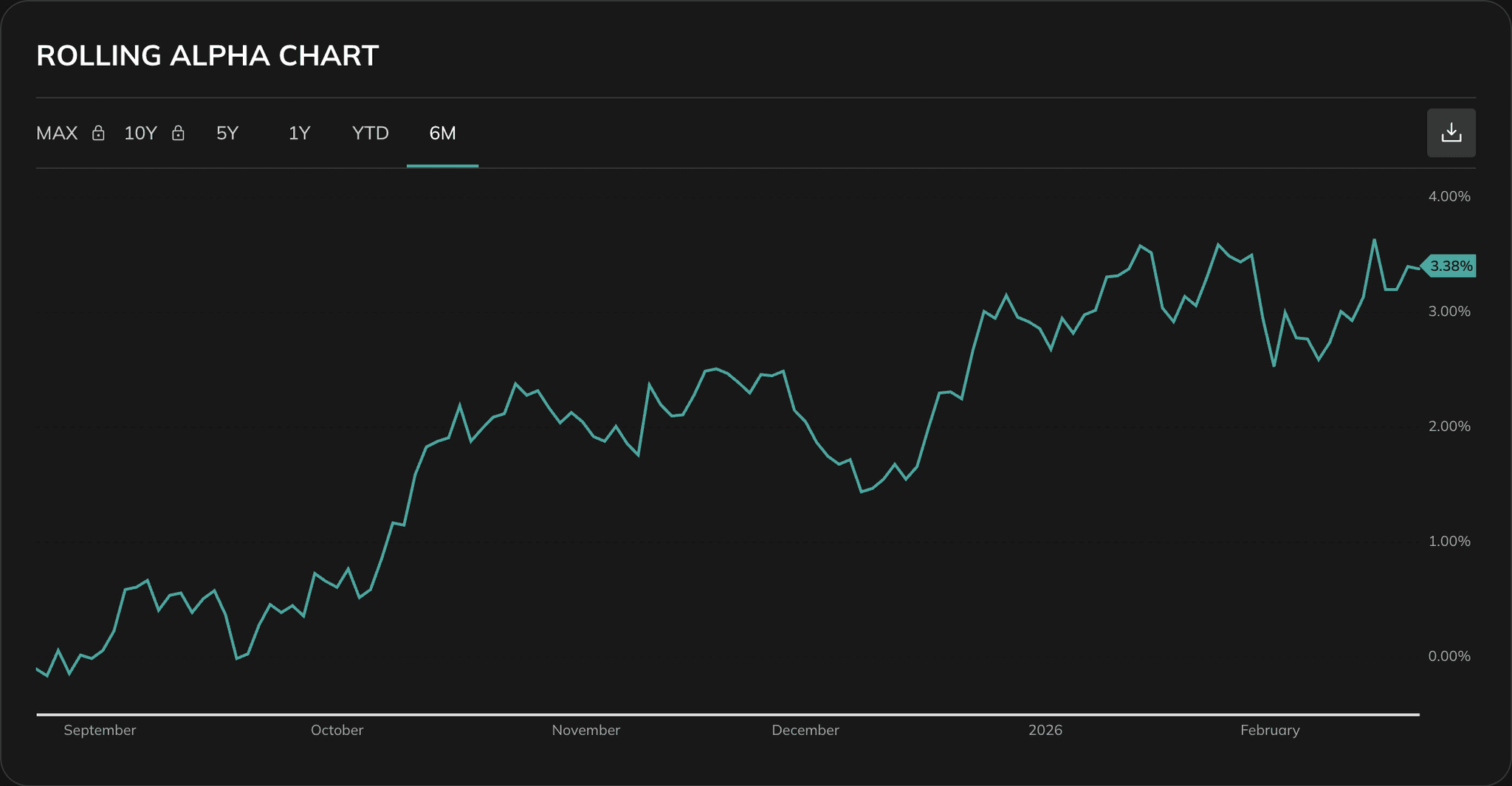
This is the primary section. It shows how Alpha changes through time instead of a single static value.
How to read it:
- Alpha > 0: portfolio outperformed expected benchmark-adjusted return
- Alpha < 0: portfolio underperformed benchmark-adjusted expectation
- Alpha near 0: results are mostly explained by market exposure
2. Rolling Beta Chart (Related)
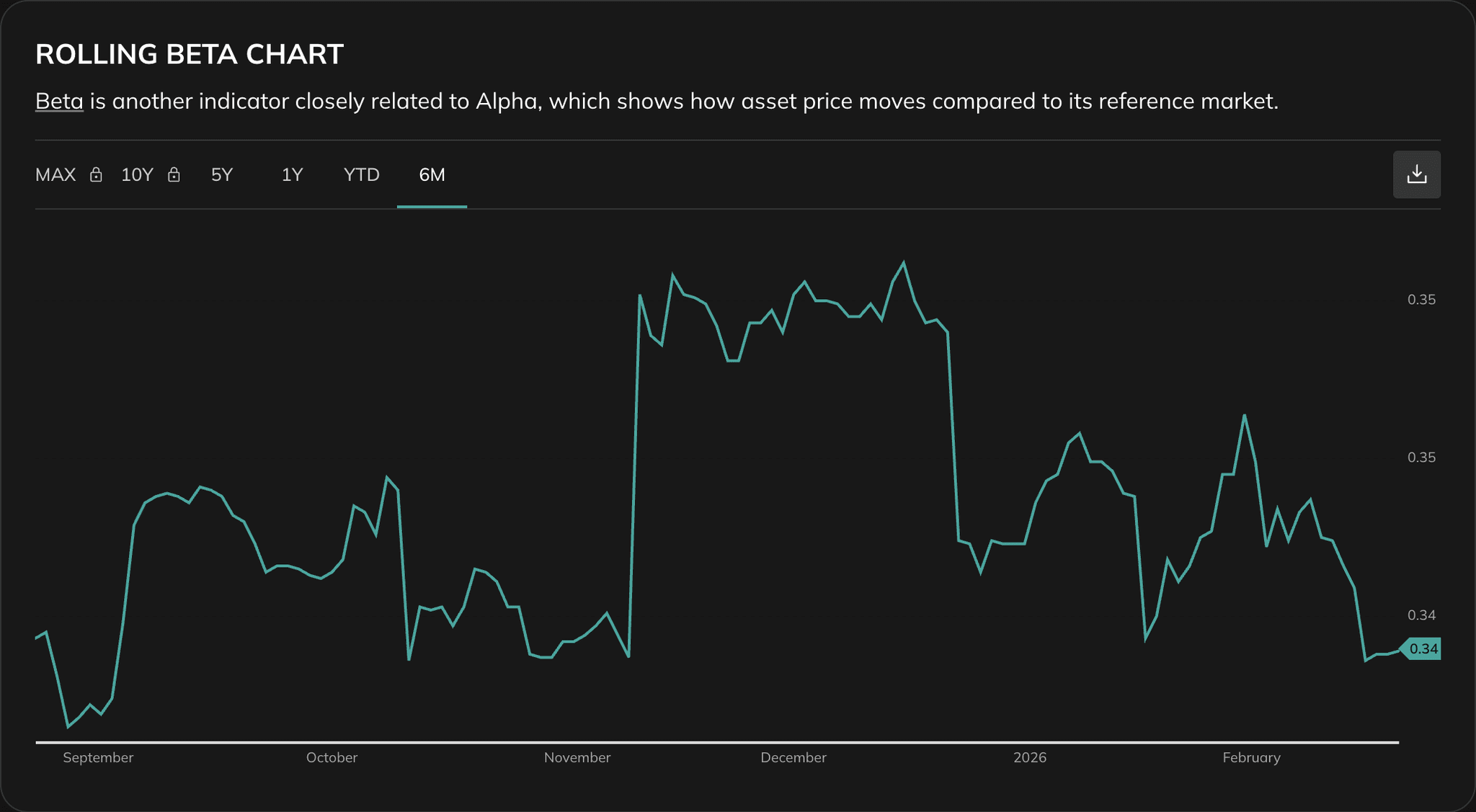
This companion chart helps validate Alpha interpretation by showing how market sensitivity changed over the same period.
Use it to check:
- whether Alpha changes coincide with Beta regime shifts
- if outperformance happened with unusually high market exposure
- whether underperformance was driven by weak stock selection or beta profile changes
Interpretation Framework
Treat Alpha as a skill signal only after confirming the benchmark is relevant and the lookback period matches your strategy horizon.
Example
Suppose two portfolios use the same benchmark over a 3-year lookback:
Portfolio A has an average rolling Alpha of +1.8% with stable Beta near 1.0. Portfolio B has an average rolling Alpha of -0.6% while Beta is also near 1.0.
Because both portfolios have similar market exposure, Portfolio A likely reflects stronger active decision quality, while Portfolio B underperforms after adjusting for benchmark behavior.
Best Practices
Use a truly relevant benchmark
Alpha quality depends directly on benchmark quality.
Compare multiple lookback windows
Validate that Alpha is persistent, not just short-term noise.
Read Alpha with Beta
Outperformance with unstable Beta may indicate regime-specific risk rather than consistent skill.
Avoid one-point conclusions
Use rolling behavior and trend consistency instead of a single snapshot value.
See also: Beta, Treynor Ratio