Invest smarter, not harder: get data-driven insights
Transform complex data into actionable insights with our professional yet simple tools.

Unique indicators used by leading quantum funds
Risk, profitability, and dividend analysis
Beginner-friendly interface, expert-ready functionality
Hassle-free solutions for mundane tasks
Unique indicators used by leading quantum funds
Risk, profitability, and dividend analysis
Beginner-friendly interface, expert-ready functionality
Hassle-free solutions for mundane tasks
Simplify Wealth Building for You and Your Clients
For Enthusiasts
Unique indicators used by leading quantum funds
Get a detailed professional analysis instead of raw data
Use the service smoothly: no special knowledge needed
Make decisions based not only on the potential returns but also on the risks involved
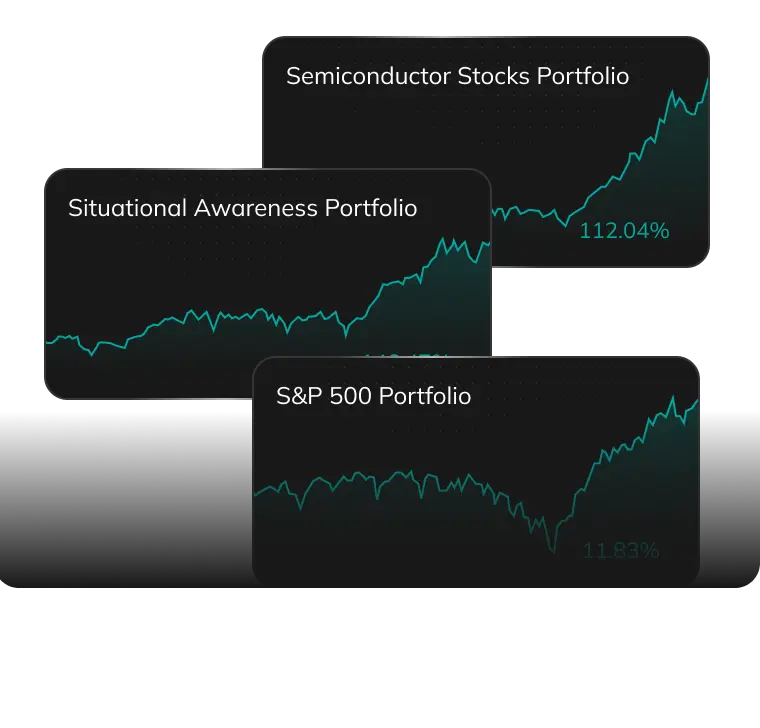
Gain valuable insights with our curated Lazy Portfolios or diverse Community Portfolios


For Enthusiasts
Unique indicators used by leading quantum funds
Get a detailed professional analysis instead of raw data
Use the service smoothly: no special knowledge needed
Make decisions based not only on the potential returns but also on the risks involved
Gain valuable insights with our curated Lazy Portfolios or diverse Community Portfolios

For Fund Managers
Manage all the data in one place
Import your own data to PortfoliosLab
Export any data for use in external systems
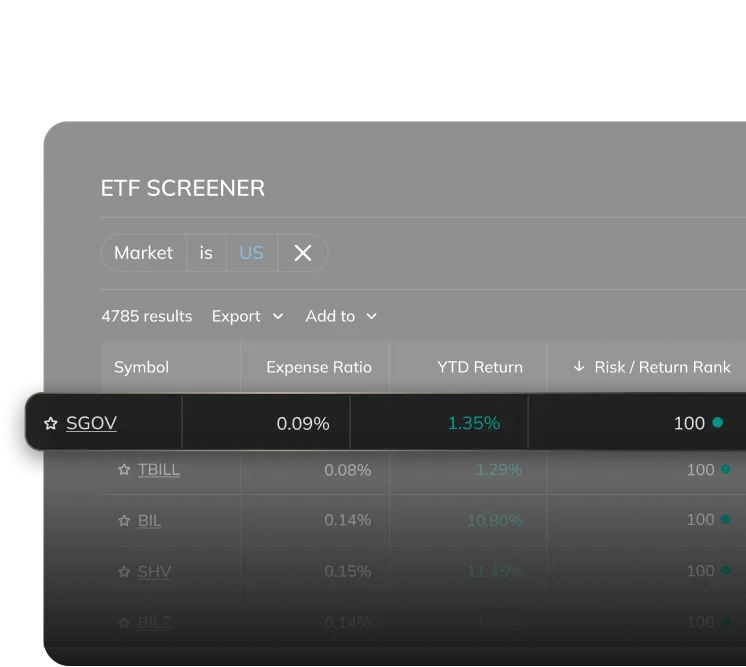
Utilize hundreds of screener settings
Work with large portfolios (up to 500 positions) and manage your own data
Access indicators based on the latest research

For Financial Advisors
Scale up your business and get more clients
Make convincing presentations to attract new clients using detailed analysis
Create and showcase strategies for various investment goals
Maintain and optimize your clients portfolios with professional tools
Generate reports in a few clicks

Get sharper insights with more than 20 tools
Analyze market trends, stocks, funds, and any other data for the past 40+ years.
Optimization
Grow your portfolio's earnings and keep the risks low. Find the right mix of investments based on your goals.
Performance Analysis
Visualize the gains or losses of a certain portfolio and evaluate its real profitability relative to risk.

Risk Analysis
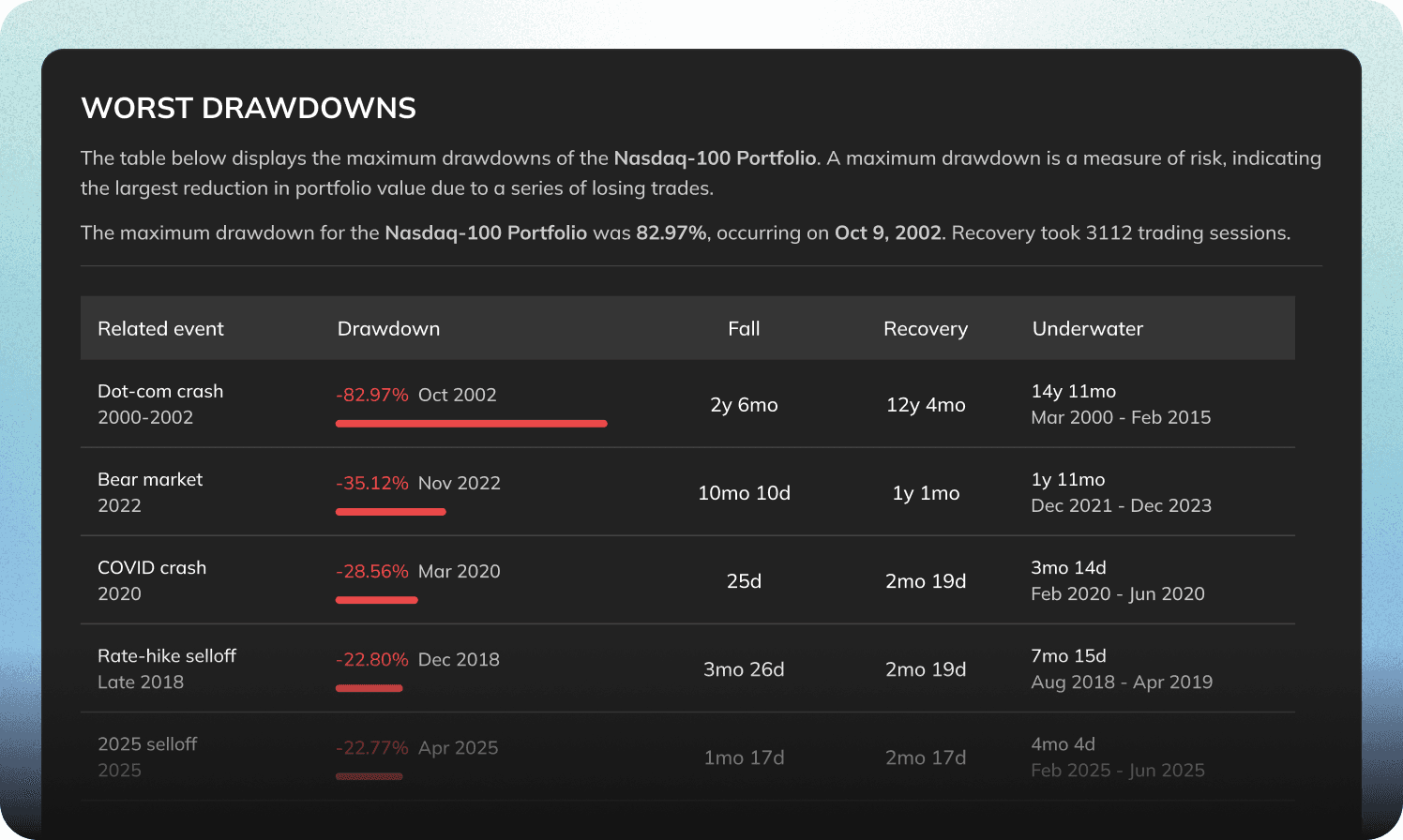
Estimate stock volatility with nine different instruments, including Drawdowns, Expected Shortfall, and the Ulcer Index. Reduce the likelihood of sudden losses and ultimately improve the risk-adjusted returns of your portfolio.


Compare stocks and decide in seconds
Compare key performance indicators of stocks and pinpoint essential details on the chart.


Build your personal investment hub


Upload & save portfolios
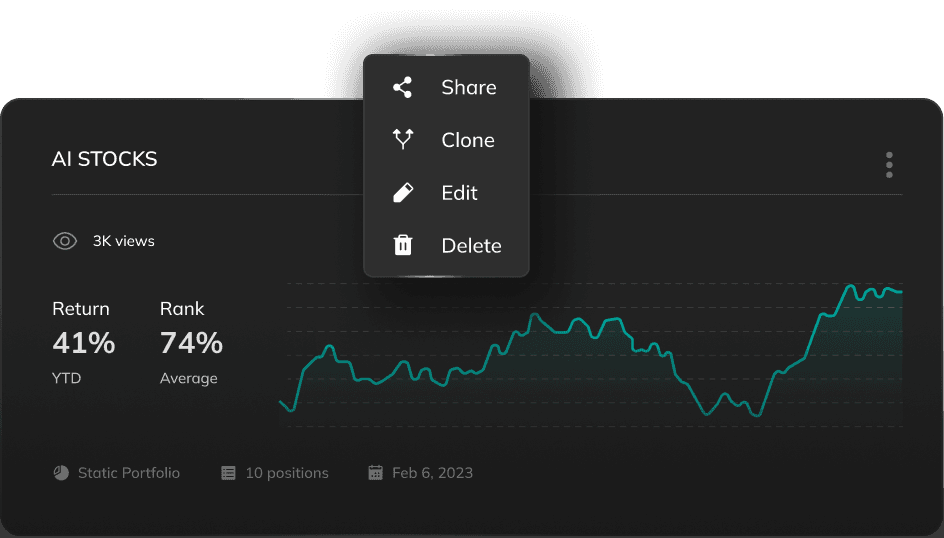
Save the portfolios you use frequently to speed up your work

Customize screener filters
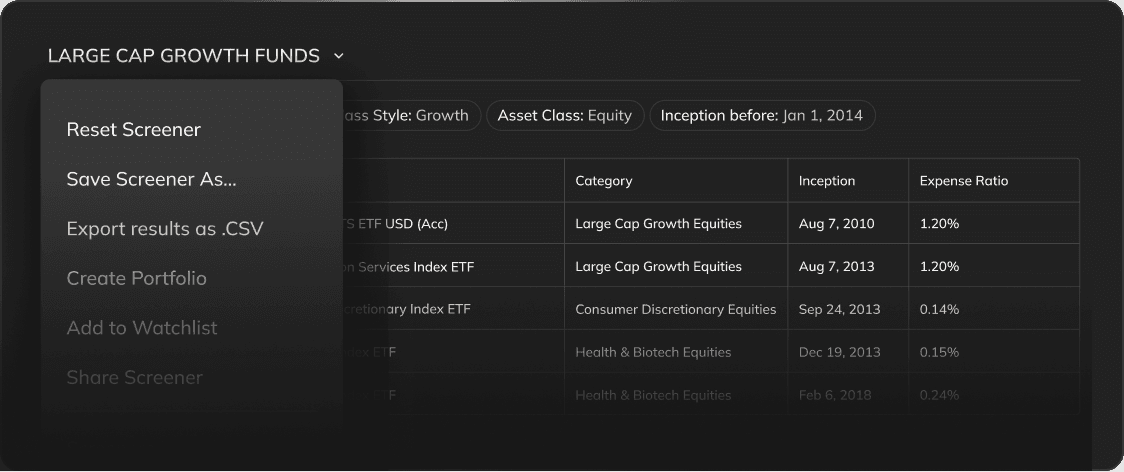
Customize and save the screener settings that work best for you

Maintain up to 10 watchlists
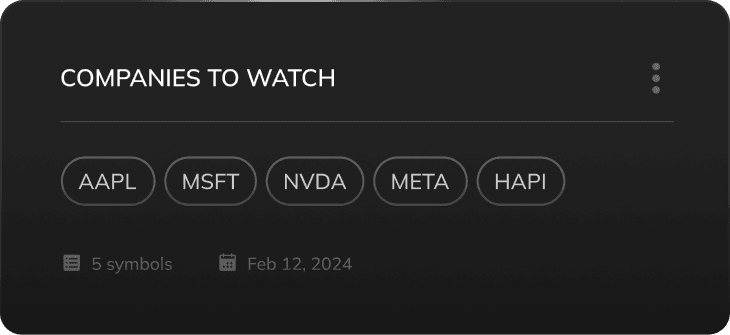
Follow companies you don't have in your portfolio to monitor their dynamics


Try out new platform updates
Many of our best updates came directly from user suggestions. Is there a feature you're looking for that we haven't added yet? Share your ideas, and let us know how we can make your experience even better!
April 01, 26
Find Better ETFs and Mutual Funds Without the Guesswork
We just made it easier to find better ETFs and mutual funds in the same category. Instead of opening a dozen tabs and running screeners, you can now see all the relevant alternatives ranked by the things that actually matter — like expense ratio, risk-adjusted returns, and drawdown — right on the fund's page.
What we added
Every ETF and mutual fund on PortfoliosLab now has an Alternatives page. Open any fund — say, VOO — and you'll see a breakdown of similar funds from the same category, ranked by the things that actually matter when choosing between them.

The page is split into five sections, each answering a different question:
Cheapest alternatives — same category, sorted by expense ratio. If you're paying 0.50% and there's a nearly identical fund at 0.03%, you should know about it.
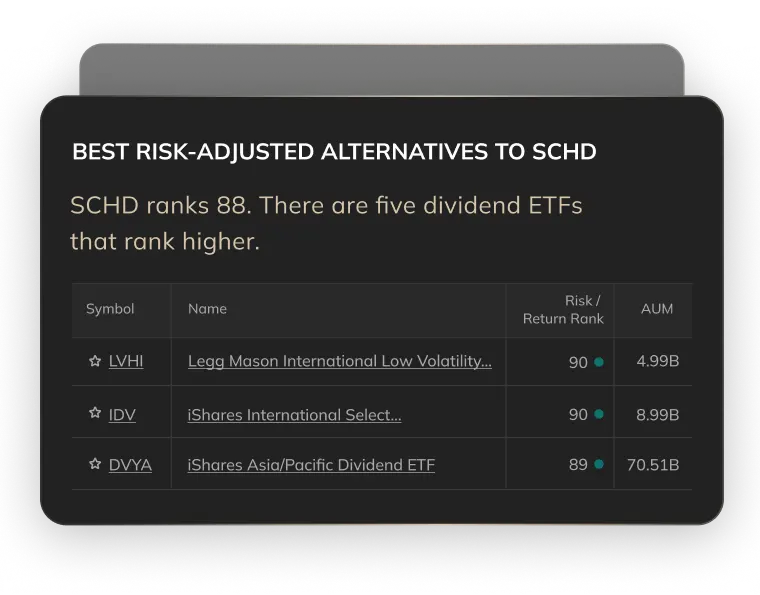
Best risk-adjusted alternatives — ranked by PortfoliosLab's combined score that accounts for volatility, drawdown, and return consistency over one year. Not just "what went up the most" but "what went up without falling off a cliff."
Top performing (YTD) — straightforward year-to-date returns. Useful for spotting momentum, less useful on its own.
Lowest volatility and lowest drawdown — for when your goal is sleeping through a correction, not chasing returns.
Below the ranked tables, you'll also see funds from the same issuer and a list of what other investors commonly compare with the fund you're looking at — based on real usage data, not editorial picks.

The alternatives page starts from the fund you're already researching and surfaces what you'd find if you spent an hour digging through screeners — ranked, filtered to the same category, and ready to compare side by side. Each row links directly to a full head-to-head comparison if you want to go deeper.
A few ways to use it
You hold a broad-market ETF and want to check whether a cheaper option exists in the same category. Open its alternatives page and look at the expense ratio table.
You're evaluating a fund someone recommended and want to see how it stacks up on risk. Check the risk-adjusted and drawdown tables to see where it falls relative to peers.
You want to understand what else is out there before committing to a position. Scan the full page, then compare directly with anything that catches your eye.
March 18, 26
New Portfolio Metrics: Alpha, Beta, R², Upside and Downside Capture
When you're looking at a portfolio, knowing it returned 12% last year isn't enough. You want to know how it behaves relative to the market. Was your strategy just riding the market or did it have a real edge? The block shows five metrics at a glance: Alpha, Beta, R², Upside Capture, and Downside Capture.

To make it more useful, we also added a few insights alongside numbers. Raw numbers alone can mislead. A beta of 0.5 looks defensive, but only means something if R² is high enough. A portfolio capturing 200% of upside and 106% of downside is technically "favorable" but that's not the whole story. The block catches these cases and calls them out directly.
When R² is too low for the metrics to be meaningful, it tells you to pick a better benchmark rather than letting you draw the wrong conclusions.
Available on all portfolio pages where a benchmark is selected and in the Portfolio Analysis tool.
February 23, 26
Walk-Forward Backtesting for Portfolio Optimization
How strategy backtests usually work. You input your portfolio positions and ask the optimizer to find an allocation with best performance. The optimizer then looks at the historical data, picks a few stocks that did well, drops the rest and presents you with a portfolio that would have crushed it over the last years. When comparing with the original allocation the backtest looks great. Of course it does. The optimizer already knew what happened.
This is called lookahead bias, and it makes backtests almost useless for predicting real-world performance. So we've added a way to test your portfolio strategy without it.
What we built
In Portfolio Optimization, there's now a Reoptimize Frequency setting with three modes: Once, Quarterly, and Yearly.
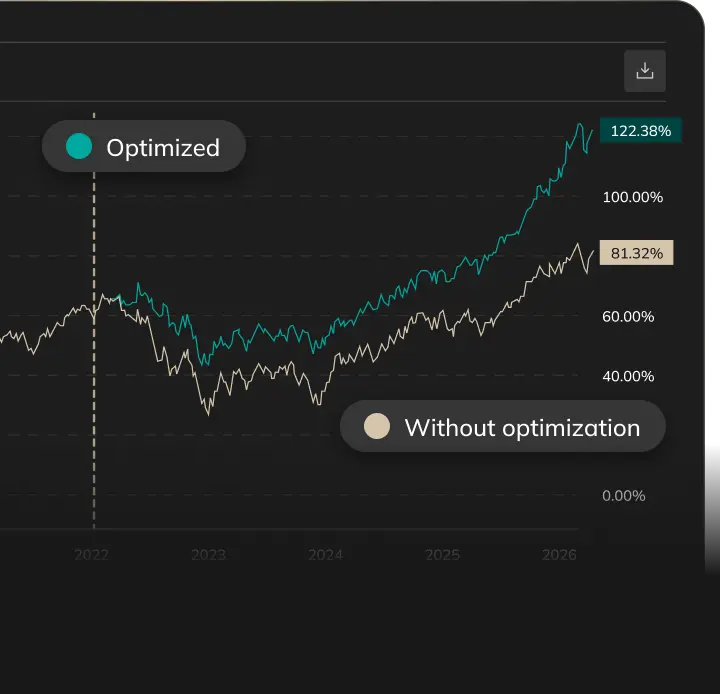
Set it to Quarterly or Yearly, and the tool will re-run the optimization at the start of each period — using only the data available at that point in time — then measure how the resulting portfolio actually performed over the next period. This repeats across the entire timeline, giving you a realistic picture of how the strategy would have played out if you'd been running it live.
This is different from the Optimization Date setting, which works in the default "Once" mode. That one splits your data at a specific point: the optimizer trains on everything before that date, then you see how the resulting weights performed afterward. Useful, but it's still a single optimization — one set of weights tested against one future period.
Walk-forward takes it further by re-optimizing repeatedly, so every period gets weights that were calculated without any knowledge of what came next.

Why it matters
A single-point optimization tells you what worked in the past. Walk-forward optimization tells you whether your strategy is robust enough to keep working as the market changes.
If the out-of-sample results hold up across multiple rebalancing periods — through rate hikes, drawdowns, recoveries — you have something. If they fall apart, better to know that here than after you've deployed capital.

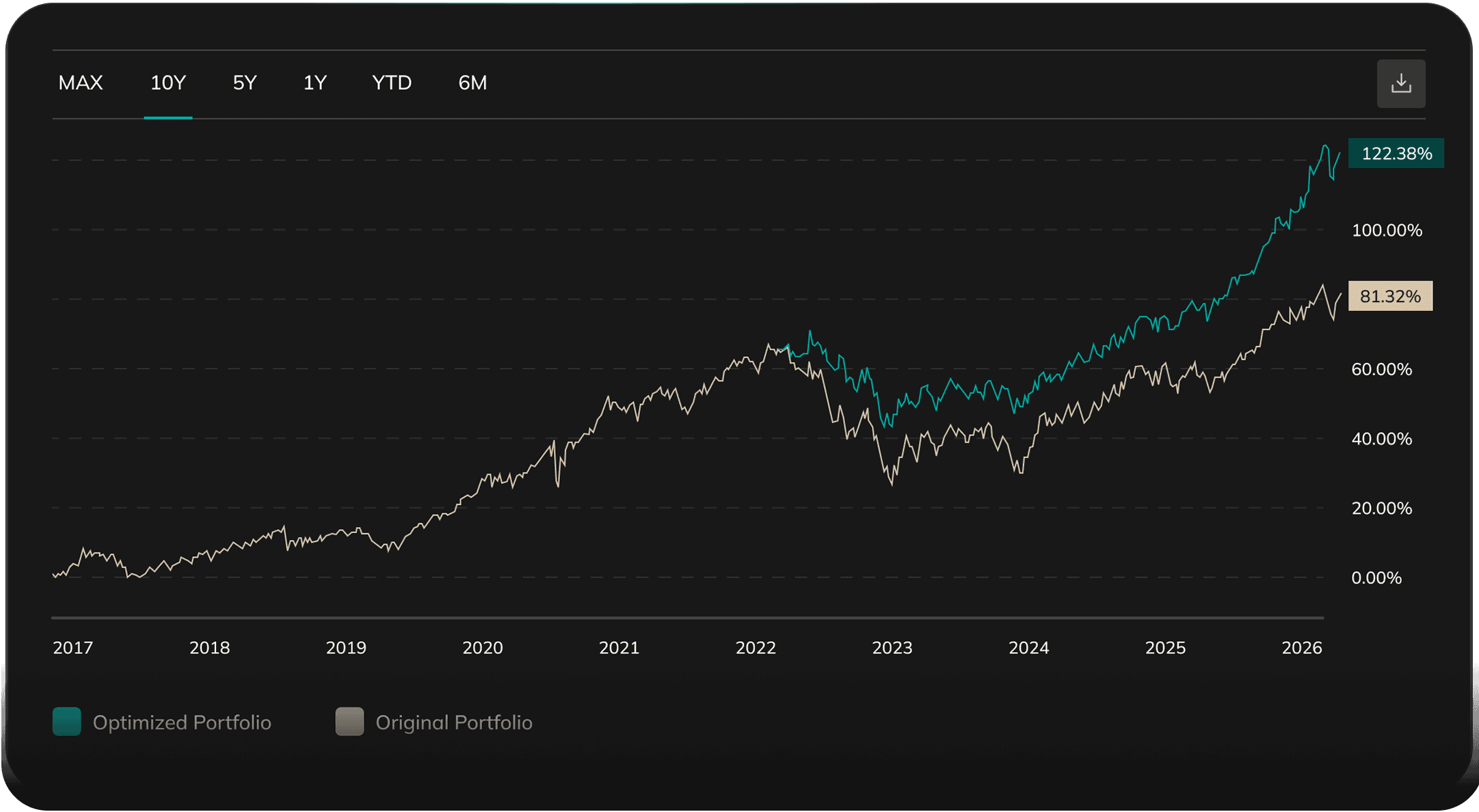
Harry Browne's Permanent Portfolio with a periodic optimization vs the original static allocation.
A few ways to use it
Set Reoptimize Frequency to Yearly and compare the walk-forward result against your original allocation. If the optimized weights consistently outperform through different market regimes, that's a meaningful signal about the strategy's durability.
Try different training windows alongside it. A 1-year window will react faster to recent market shifts; a 3-year window produces more stable weights. Walk-forward backtesting helps you see which one actually generalizes instead of just fitting the past.
Availability
Walk-forward backtesting is available on Plus and Pro plans. Single-point optimization (the default "Once" setting) works the same as before for all users.

Recently added tickers
START TODAY TO GET PROFIT TOMORROW
Earn above-market returns easily
Simplify and speed up your work process
Use actual data based on relevant research
Be confident in your investment decisions